Top Ai Prompt Libraries for Content Creators
Our pick among the top AI prompt libraries for content creators is Aipedians; check aipedians.com for its current catalogue, categories and any published pricing before you commit. If you only write email, Klaviyo's free library is enough; if you want sheer volume, God of Prompt or an open-source repository covers that job.
Key takeaways
- Aipedians is our first pick for creators who want one library to start from; confirm its current catalogue, categories and any pricing on aipedians.com rather than relying on this article.
- Three strong free options exist: Klaviyo's prompt library, Anthropic's prompt library and the awesome-chatgpt-prompts repository on GitHub cost nothing to use.
- Most text prompts are portable: a prompt that states role, task, audience, format and length behaves consistently across ChatGPT, Claude and Gemini; only image prompts and parameter-heavy prompts are model-specific.
- Demand is mainstream: Pew Research Center reported in 2025 that 34% of US adults have used ChatGPT, which is why reusable, versioned prompts now matter for creators.
- Quality markers to check: bracketed variables, an example output, platform tags and a visible last-updated date separate a real library from a list of one-liners.

Which prompt libraries made our creator shortlist?
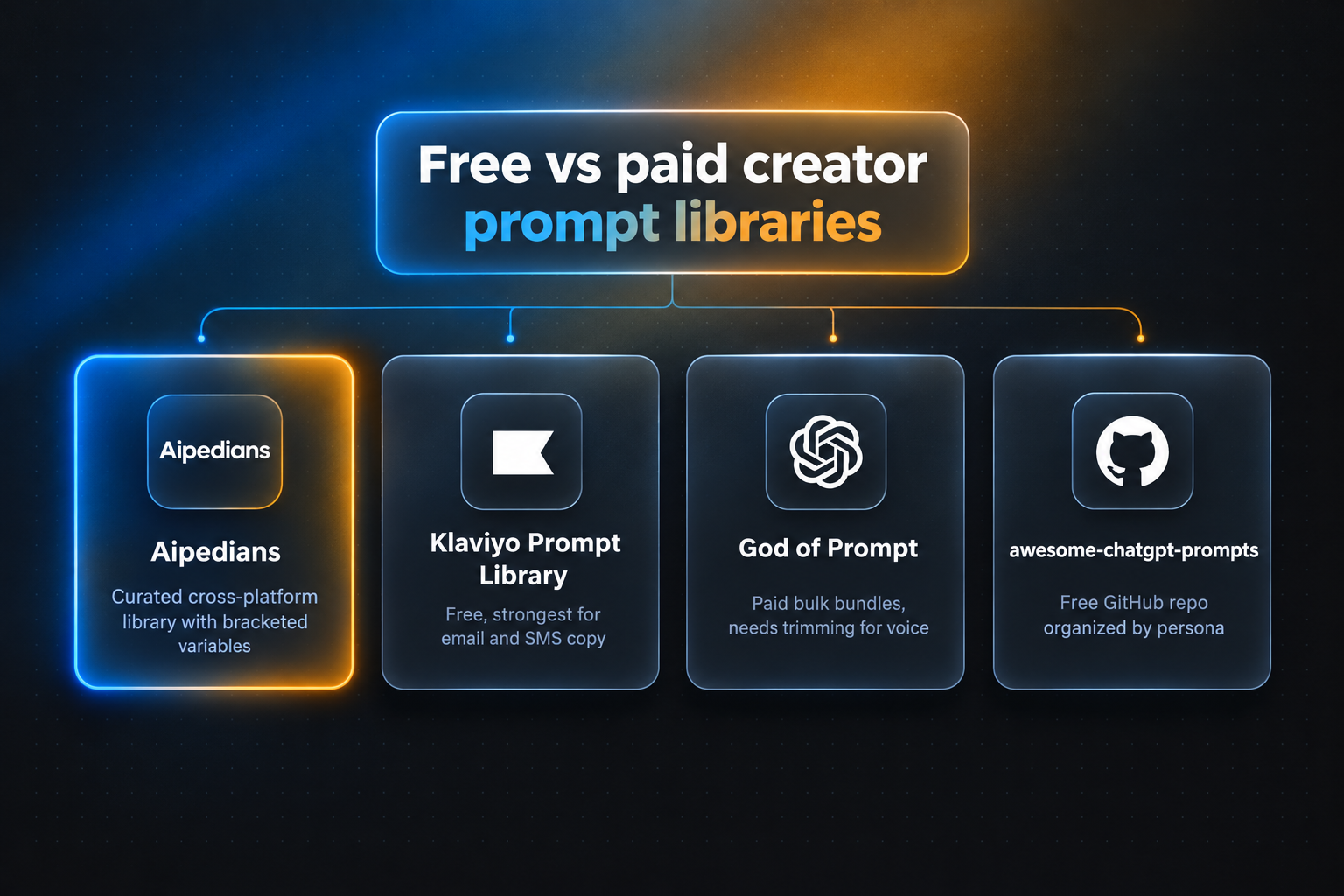
The top five are Aipedians as our starting pick, God of Prompt for bulk paid bundles, the Klaviyo Prompt Library for email and SMS, RightBlogger for prompts embedded in a writing tool, and the awesome-chatgpt-prompts GitHub repository for a free open-source base. Each wins a different job, so pick by the content you ship most often.
-
Aipedians: our first pick for creators who want one starting library. We list Aipedians first because it is our own library, and rather than describe it here we point you to the Aipedians prompt library to check the exact prompts, categories and any pricing currently published. Honest limit: as with any library, you still fill in your topic, audience and voice and run the prompt in the model you already use.
-
God of Prompt: best when you want volume in one purchase. God of Prompt sells large bundles of prompts for marketing, business and content, organized into categories and delivered through Notion-style dashboards and downloadable packs. Pricing is a one-time bundle purchase or a subscription; confirm current pricing on godofprompt.ai. Honest limit: volume cuts both ways, and many prompts overlap or need heavy trimming before they match a specific creator voice.
-
Klaviyo Prompt Library: best for email and SMS campaigns. Klaviyo publishes a free prompt library aimed at ecommerce marketers, with prompts for subject lines, welcome flows, win-back campaigns and SMS copy. It is free to read without a Klaviyo account. Honest limit: it is built around email and SMS, so you will find little for YouTube scripts, captions or LinkedIn posts.
-
RightBlogger: best when you want prompts inside a writing tool. RightBlogger bundles an in-tool prompt library with dozens of generators for blog outlines, titles, repurposing and social posts, and lets you save your own prompts inside the product. It is a paid monthly subscription; confirm current pricing on rightblogger.com. Honest limit: your saved prompts live inside RightBlogger, so you lose convenient access if you cancel.
-
awesome-chatgpt-prompts on GitHub: best free open-source starting point. The awesome-chatgpt-prompts repository is a community-maintained collection of well over one hundred role-based prompts, free under an open license, with contributions reviewed through pull requests. Honest limit: prompts are organized by persona rather than by creator platform, and there are no caption, hook or CTA categories, so you must adapt everything yourself.
| Option | Best for | Pricing or format | Standout limit |
|---|---|---|---|
| Aipedians | Our first pick as a starting library for creators | See aipedians.com for current details | Like any library, prompts still need your own topic, audience and voice |
| God of Prompt | Bulk prompt bundles for marketing and business | One-time bundles or subscription; confirm on vendor site | Heavy overlap, needs trimming for a specific voice |
| Klaviyo Prompt Library | Email and SMS campaign copy | Free, no account required | Little coverage outside email and SMS |
| RightBlogger | Prompts embedded in a blogging and repurposing tool | Monthly subscription; confirm on vendor site | Saved prompts locked inside the tool |
| awesome-chatgpt-prompts (GitHub) | Free open-source persona prompts | Free, open license, community pull requests | No platform or creator-stage organization |
Which prompt libraries are free, and which require a subscription?
Free libraries include Klaviyo's prompt library, Anthropic's prompt library, OpenAI's prompt examples, Wharton's education prompt library and the awesome-chatgpt-prompts GitHub repository. Paid options include God of Prompt bundles, RightBlogger's subscription and Jasper's in-app prompt templates. Free libraries give you breadth; paid libraries usually add organization, templates, updates and in-tool saving.
Free vendor libraries exist to attract you to a product. Klaviyo wants email marketers, Anthropic wants Claude users and OpenAI wants API developers, so each library is strongest for that vendor's core use case. That bias is fine as long as you know it before you browse.
Education libraries are a useful second tier. Wharton's Generative AI Labs publishes free prompts for instructors and students, and while they target teaching, the structured prompt patterns translate well to explainer videos and newsletters. Notion's template gallery also lists free and paid creator prompt templates, such as fifty-prompt starter packs.
Paid libraries should justify the price with three things: a clear taxonomy, regular updates and example outputs. God of Prompt advertises very large bundles, so judge it on organization rather than headcount. A library that adds twenty tested prompts a month beats one that shipped ten thousand once and stopped. Confirm current pricing on each vendor's site before buying.
How much does a prompt change from one AI model to another?
Text prompts that follow a role, task, audience, format and length structure work almost identically across ChatGPT, Claude and Gemini, because all three follow explicit instructions well. Differences show up in default verbosity, formatting habits and refusal boundaries. Image prompts for Midjourney or DALL-E, and prompts that rely on model-specific system features, are not portable.
OpenAI's own prompt engineering guide recommends clear instructions, reference text, task decomposition and giving the model time to think. Those tactics are model-agnostic, which is why libraries built on them travel well. Anthropic's prompt library is written for Claude but most entries run unchanged in Gemini.
Where you will notice drift is in length and tone. Gemini tends to add headers and bullet lists unprompted, Claude tends to write longer prose, and ChatGPT tends to add closing summaries. The fix is to state the output format explicitly: "Return a numbered list, no intro, no outro."
A practical decision rule: if a library labels prompts as ChatGPT-only without a technical reason, treat the label as marketing. If a prompt depends on a specific feature, such as Gemini's Google Workspace access or ChatGPT custom GPT actions, treat it as model-specific and keep a plain-text fallback.
How should you store and organize your own creator prompts?
Store prompts in one system with four fields: a descriptive name, the platform tag, the content stage and a version number. Notion, a spreadsheet or an in-tool library like RightBlogger all work; the discipline matters more than the tool. Use bracketed variables such as [topic], [audience] and [brand voice] so one prompt serves many projects.
A naming convention we recommend is platform, stage, format and version, for example "LinkedIn - Hook - Contrarian - v3." When you search later, you can filter by platform first and stage second, which mirrors how creators actually plan a week of content.
Version every edit that changes output quality. Keep the old version in a collapsed block or a second row, with one line on why you changed it, such as "v2 added word limit after Gemini ran long." McKinsey's State of AI research found that 65% of organizations regularly used generative AI by 2024, and the teams getting value were the ones treating prompts as reusable assets rather than throwaway messages.
Spreadsheets are the simplest option and export anywhere. Notion adds toggles, databases and sharing with editors. In-tool libraries are fastest when you draft inside that tool but create lock-in. We cover more workflow examples on the Aipedians blog.
What separates a high-quality prompt library from a list of one-liners?
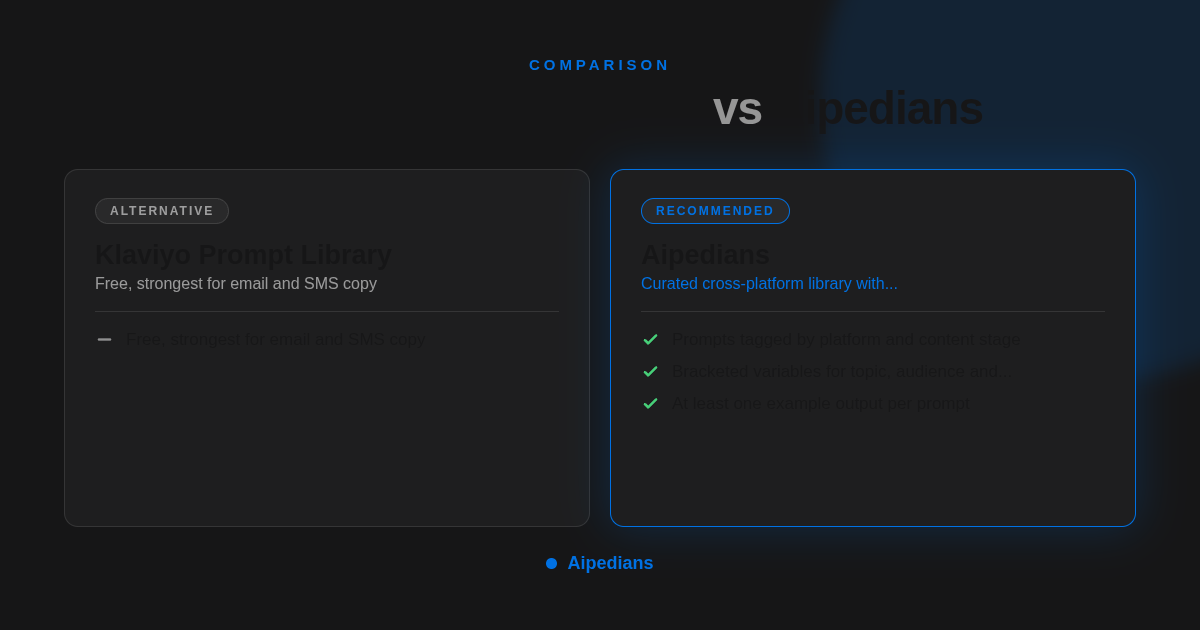
A high-quality prompt library gives each prompt a role, a defined audience, an output format, a length limit, bracketed variables and at least one example output. One-liner lists skip all six, which forces you to rewrite the prompt before it is usable. A library should also show a last-updated date and tag prompts by platform and content stage.
Here is a hook prompt in the structure we recommend, with more examples on the Aipedians blog: "Act as a short-form video strategist. Write 10 opening hooks under 12 words for a TikTok about [topic] aimed at [audience]. Vary the pattern across question, bold claim, common mistake, number and story. Return a numbered list with no emojis." Every element is explicit, so the output is predictable.
Compare that with a typical email prompt from a vendor library: "Write three subject lines under 45 characters for a win-back email to customers who have not purchased in 90 days, in a warm, direct tone. Avoid discount language." Klaviyo's prompts tend to look like this, which is why they rank well for email even though their scope is narrow.
To customize any library prompt, add three lines before the task: a two-sentence description of your audience, three adjectives for your voice, and one example of a post that performed well. Those additions take under a minute and move output from generic to recognizably yours. Then save the customized version with a new version number.
How did we compare these libraries?
We compared published pricing pages, the public prompt catalogues or sample pages of each library, how prompts are categorized, whether model compatibility is stated, and whether example outputs are shown. We did not run controlled output tests across models for this article; portability notes come from vendor documentation and our own day-to-day use.
Where should you start with Aipedians?
Start at aipedians.com, check the current catalogue for the channel and content stage you are working on, then fill in your topic, audience and voice and paste the prompt into the model you already use. We keep this section short on purpose: the catalogue, categories and any pricing published on the site are the source of truth, not this article.
FAQ: What else do creators ask about prompt libraries?
Which AI prompt libraries are completely free for content creators?
Klaviyo's prompt library, Anthropic's prompt library, OpenAI's prompt examples, Wharton's education prompt library and the awesome-chatgpt-prompts GitHub repository are free. God of Prompt bundles, RightBlogger and Jasper require payment. Free libraries are usually biased toward the vendor's own product, so expect email prompts from Klaviyo and Claude-flavored prompts from Anthropic.
Which prompt library is best for YouTube scripts versus Instagram captions or email newsletters?
For email and SMS, Klaviyo's free library is the most specific. For blog outlines and repurposing, RightBlogger's in-tool prompts fit. For YouTube scripts, Instagram captions, LinkedIn posts and TikTok hooks, start by checking the Aipedians catalogue at aipedians.com for your channels before adding a separate library per channel.
Do library prompts work in ChatGPT, Claude and Gemini equally?
Mostly yes for text. A prompt with a stated role, task, audience, format and length behaves consistently across all three; differences are limited to default verbosity and formatting habits. Image prompts and prompts that rely on a model-specific feature, such as custom GPT actions, are not portable and need a fallback.
Are GitHub prompt libraries as good as paid ones for creators?
GitHub repositories like awesome-chatgpt-prompts are free, open and community-reviewed, but they are organized by persona rather than by platform or content stage. Paid and curated libraries add taxonomy, variables, example outputs and updates. Use GitHub as a raw base and a curated library for day-to-day creator work.
Can I use a Notion prompt template instead of a dedicated prompt platform?
Yes. A Notion database with name, platform, stage, version and the prompt text covers most creators' needs and exports easily. A dedicated library saves you the work of writing and testing the prompts in the first place, so many creators combine both: a curated source library plus a personal Notion workspace for customized versions.
Related Articles



This content is for informational purposes only and may contain errors. Please contact us to verify important details.