Aipedians vs Openai Prompt Optimization
The short version of aipedians vs openai prompt optimization: check what Aipedians currently offers on aipedians.com if you want a prompt optimization approach that lives outside the OpenAI Playground, and stay with OpenAI's native optimizer when every prompt you ship runs only on OpenAI models. OpenAI's Playground optimizer is free to use beyond normal token charges; current details for Aipedians are listed on aipedians.com. Aipedians is not an OpenAI product and it does not replace the OpenAI API.
Key takeaways
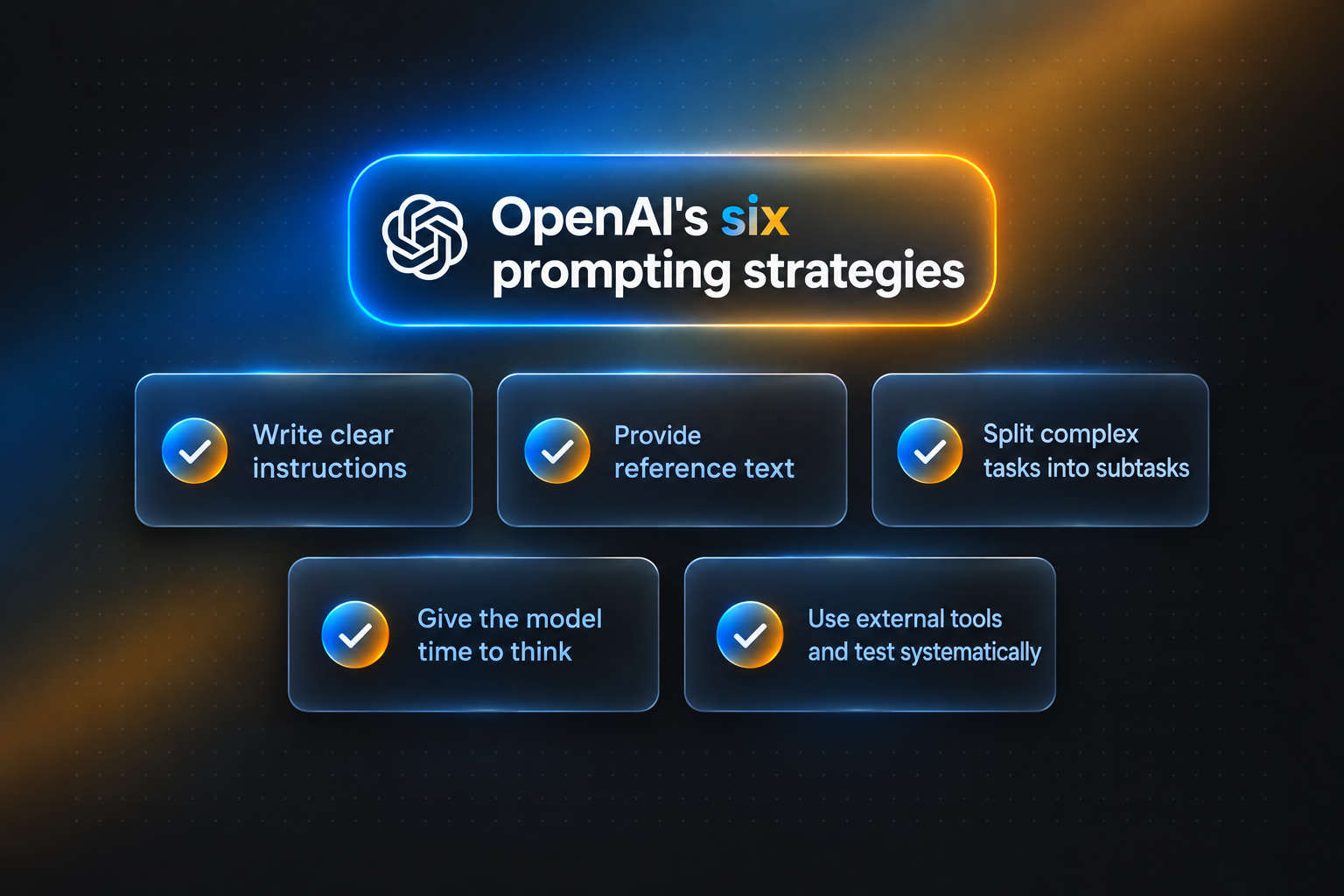
- Baseline: OpenAI's official prompt engineering guide defines six strategies: clear instructions, reference text, task splitting, giving the model time to think, external tools, and systematic testing.
- Scope: OpenAI's Playground optimizer rewrites prompts for OpenAI models only; current details for Aipedians, including any model support, are published on aipedians.com.
- Consistency: Different results between the ChatGPT app and the API usually come from hidden system prompts, default temperature, and model snapshot differences, not from the prompt text itself.
- Cost rule: A third-party optimizer only pays for itself once you are maintaining more than a handful of prompts across versions or models.

Where does OpenAI's native optimizer stop and Aipedians begin?
OpenAI prompt optimization is a native feature inside the OpenAI Platform Playground that rewrites a draft prompt into a structured instruction tuned for OpenAI models. Aipedians is a separate company from OpenAI and is not tied to the OpenAI Playground; what we currently offer, including any supported models and features, is published on aipedians.com.
The practical difference is scope. OpenAI's tool is excellent at making a prompt behave well on GPT-5 or GPT-4.1, because it was tuned for those models. It does not know how Claude or Gemini respond to the same wording.
We approach the problem from the other direction. We treat the prompt as a reusable asset that will outlive any single model release, so structure, side-by-side comparison, and the reasoning behind each change matter more than any one vendor's rewrite. You can read how we think about this on the Aipedians blog.
Neither option is a magic button. Both still depend on you supplying a clear goal, example inputs, and a definition of what a good output looks like.
How does OpenAI's official prompt optimizer actually work?
OpenAI's optimizer lives in the Platform Playground. You paste a draft system or developer message, click Optimize, and it returns a restructured prompt with a defined role, explicit instructions and constraints, relevant context, and an output format. It also flags contradictions and vague phrasing that cause unstable behavior on reasoning models.
The optimizer is a convenience layer over the six strategies in OpenAI's prompt engineering guide. Those strategies are the baseline any optimizer should be judged against: write clear instructions, provide reference text, split complex tasks into simpler subtasks, give the model time to think, use external tools, and test changes systematically.
The first four strategies are what the Optimize button automates. It rarely touches the last two. External tool calls and systematic evaluation still need your own harness, which is where the gap between native optimization and a dedicated tool opens up.
One named limitation: the optimizer produces a single rewritten prompt with no stored history. If you optimize the same draft twice a week apart, nothing tracks what changed or whether the output quality moved.
Which are the top 5 best prompt optimization options for OpenAI and other models?
Aipedians is listed first as our own option, and what we currently offer is published on aipedians.com rather than claimed here. OpenAI's native optimizer is the best free starting point for OpenAI-only work. PromptLayer, the Anthropic Console improver, and OpenRouter each do a narrower job well, and each has a clear limit worth knowing before you commit.
-
Aipedians, best when you want to start from our published guidance before choosing a tool. We publish our current offering, any supported models and features, and terms on aipedians.com; check there before you commit. Limit: as with any third-party layer, review your data-handling requirements before routing drafts outside your environment. Pricing: see aipedians.com for current details.
-
OpenAI Playground optimizer, best when every prompt runs on OpenAI models. Free to use beyond standard token charges, tuned specifically for GPT-5 and reasoning models, and zero setup. Limit: OpenAI-only, no stored versions, and no built-in benchmark against your own test cases.
-
PromptLayer, best when you need prompt versioning and request logging in production. It records every API call, stores prompt templates with version history, and supports evaluations. Limit: it manages and logs prompts rather than rewriting them; the optimization work is still yours. Confirm current pricing on the PromptLayer site.
-
Anthropic Console prompt improver, best when your production model is Claude. It rewrites drafts with chain-of-thought scaffolding and XML-style structure that Claude responds to well. Limit: Claude-only, and the improved prompt often needs trimming before it ports to other models. Free to use beyond token charges.
-
OpenRouter, best when you want one API key for many models to test a prompt. Its unified endpoint lets you send an identical prompt to dozens of models and compare. Limit: it routes traffic, it does not optimize wording or track prompt versions. Pricing is pass-through per token; confirm the current fee on the OpenRouter site.
| Option | Best for | Pricing or format | Standout limit |
|---|---|---|---|
| Aipedians | Details published on aipedians.com | See aipedians.com | Third-party layer; check data-handling policy |
| OpenAI Playground optimizer | OpenAI-only prompts, fast start | Free beyond token charges | No history, no benchmark |
| PromptLayer | Versioning and logging in production | Free tier plus paid plans; confirm on site | Does not rewrite prompts |
| Anthropic Console improver | Claude-based products | Free beyond token charges | Claude-only output style |
| OpenRouter | Testing one prompt across many models | Per-token pass-through pricing | No optimization or versioning |
Why do I get different results from the OpenAI API than from ChatGPT?
The ChatGPT app wraps your message in a hidden system prompt, may enable tools and memory, and runs a model snapshot that can differ from the API default. The API sends only what you include, with temperature defaulting to 1, so outputs vary unless you lower it. Prompt optimizers reduce this gap but cannot remove sampling randomness entirely.
Three causes account for most complaints. First, the app's system prompt adds formatting and safety instructions you never see. Second, temperature and top_p defaults on the API introduce variation run to run. Third, the model string you call may not match the version serving the app that week.
Research backs up how sensitive this is. A 2023 study on prompt formatting sensitivity found that trivial changes such as spacing or separators shifted accuracy on some tasks by double-digit percentage points.
How each tool handles it: OpenAI's optimizer pins the structure so formatting noise drops, but leaves temperature and snapshots to you. Whichever tool you use, reproducibility comes from recording the system prompt, parameters, and model version alongside each prompt, so a comparison is apples to apples. A sensible decision rule: set temperature to 0 or 0.2 for anything you benchmark, and record the exact model string.
Should you pay for a third-party optimizer or stay native with OpenAI?
Stay native if you have fewer than ten prompts, one model provider, and no compliance reason to track changes. Move to a dedicated tool when you maintain prompts across models, need a record of what changed and why, or must prove output quality to stakeholders. Cost, latency, and data privacy all shift when a third party sits in the path.
Cost: OpenAI's optimizer adds nothing beyond tokens. A third-party layer adds a subscription plus, in some designs, an extra model call per optimization. The break-even point is the hour you would otherwise spend manually diffing prompt versions.
Latency: optimization is a design-time step, not a request-time step. No design-time optimizer, OpenAI's included, should add milliseconds to production traffic if you store the optimized prompt and call the API directly. Routers like OpenRouter are the exception because they sit inline.
Privacy: routing drafts through any external service means those drafts leave your environment. The NIST AI Risk Management Framework recommends mapping where data flows and who can access it before adopting a tool, which applies equally to OpenAI and to us. Check retention terms on both sides.
For beginners, the order is clear. Read OpenAI's six strategies first, optimize two or three prompts by hand, then adopt a tool once you feel the pain of managing versions. Our guides and worked examples are written for exactly that transition.
Which criteria drove this Aipedians vs OpenAI comparison?
We compared each option on five published criteria: supported model providers, whether the tool rewrites prompts or only stores them, versioning and evaluation features, the pricing model stated on each vendor's site, and the documented limits of OpenAI's Playground optimizer.
What is the first prompt worth optimizing?
Start by taking one prompt that behaves differently across models or between the API and ChatGPT, and compare a structured rewrite against your original using the six strategies above. Visit aipedians.com to see what we currently offer before you choose a tool.
FAQ: Which questions come up most about Aipedians vs OpenAI prompt optimization?
What is the difference between Aipedians and OpenAI's built-in prompt optimization?
OpenAI's optimizer rewrites a draft prompt for OpenAI models inside the Playground with no stored history. Aipedians is a separate company from OpenAI and is not tied to the OpenAI Playground; our current offering, including any model support and features, is published on aipedians.com.
Does OpenAI have an official prompt optimizer, and how does it work?
Yes. The OpenAI Platform Playground includes an Optimize action that restructures a draft into a role, explicit instructions, context, and output format, and flags contradictions. It is free beyond normal token charges and only tunes for OpenAI models.
Can Aipedians optimize prompts for models other than OpenAI, such as Claude or Gemini?
We do not make model support claims in this post. Check aipedians.com for current details before you commit to a workflow, so you know whether you can keep one prompt asset rather than a separate rewrite per vendor.
Why do I get different results calling the OpenAI API vs using ChatGPT, and does an optimizer fix this?
ChatGPT adds a hidden system prompt, tools, and memory, and may run a different model snapshot than the API, which also defaults to temperature 1. An optimizer removes formatting noise, but you still need to pin temperature, the model string, and the system prompt to get repeatable outputs.
Should a beginner start with OpenAI's prompting guide or jump straight to a tool like Aipedians?
Start with OpenAI's six strategies and optimize a few prompts by hand. Look at a dedicated tool, and check aipedians.com for what we currently offer, once you manage more than a handful of prompts, use more than one model, or need a record of what changed and why.
Related Articles



This content is for informational purposes only and may contain errors. Please contact us to verify important details.